Zero-Towing Connection Guide
Get back on the road in fifteen minutes. Bypass the dealer yard entirely by establishing a secure, direct diagnostic bridge from your truck's cab to my terminal.
Required Hardware & Software
Before messaging, ensure you have these three items ready at your truck. Without them, remote ECU access is impossible.
1. Windows Laptop
2. Nexiq USB-Link
3. Remote Client
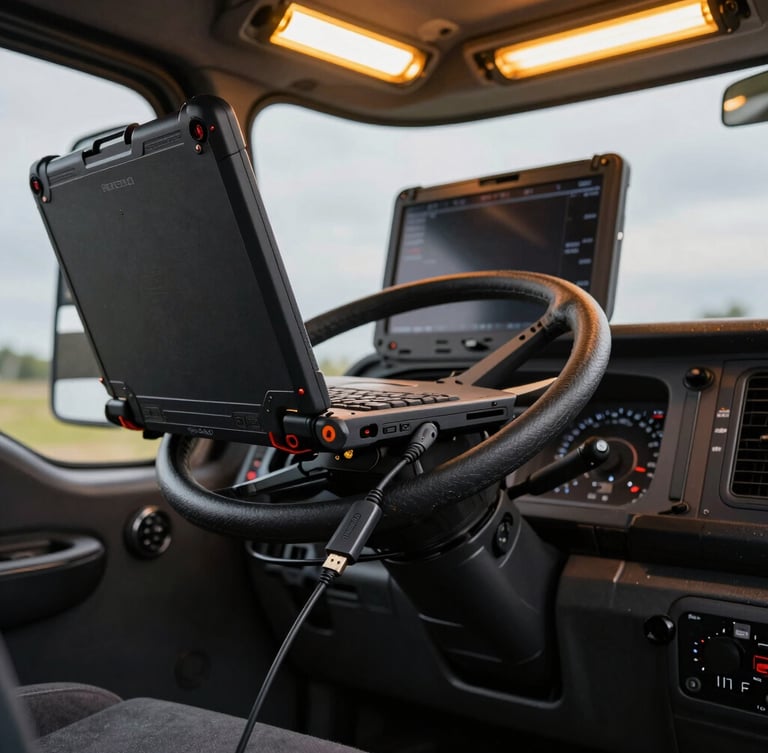
Must run Windows 10 or 11 with a standard USB port and active internet connection (cellular hotspot is fine).
A genuine Nexiq USB-Link 2 or 3 adapter with the appropriate 9-pin or OBD cable to interface with your engine.
Download and install either free client so I can securely access your diagnostic software and push the clean programming.
Three Steps to Clear Code
Follow this sequence exactly to initiate the remote programming session. There are no appointments, no waiting rooms, and no dealer bureaucracy to slow you down.
Launch Connection
Open TeamViewer or Anydesk. Have your ID and temporary password visible on the screen so you can send them over.
Send Telegram Message
Message me with your engine model, active fault codes, and connection details. I will connect and begin the programming immediately.
Initiate Remote Programming
Once your laptop is connected to the truck and TeamViewer is running, send a direct message on Telegram. I am active 24/7 for emergency roadside derate clearance.
Average response time is under five minutes. Have your engine serial number ready so we can begin the diagnostic scan immediately.